I'm not sure what upgrade did it but at one point, Spotlight became totally unusable for me. I think it was a major update that enabled web-searches as part of Spotlight.
Now I've been using Spotlight for years to launch applications. There's nothing easier when you're typing along and need to launch an application than hitting 'command - space' and continuing to work, or to do a quick bit of math, or a to take a quick note... the possibilities are endless (okay, not endless but it's a lot!). At some point, that quick little shortcut became a long, long pause.
Now recently I decided to tackle this issue as it became just too frustrating. I messed with the Spotlight preferences, I re-indexed, I searched, but eventually gave up until I launched activity monitor to see what was going on behind the scenes. I saw that 'suggestd' was pegging the CPU during that time. A quick search brought up this link which seems to have solved the problem.
https://discussions.apple.com/thread/7264893?start=0&tstart=0
Basically you need to delete the ~/Library/Suggestions folder and relogin. I'm sure there is some kind of cache in there that was corrupted somewhere along the way. Anyway, this was a great find for me and I'm happily back to using Spotlight on a regular basis.
Showing posts with label Help. Show all posts
Showing posts with label Help. Show all posts
Mar 17, 2016
Mar 10, 2014
Typical Network Speeds
Borrowed from http://www.channelz.org/network-speed-table/
| Tech | Scope | High | Low | Typical |
| POTS | WAN | 56,000 | 300 | 50,000 |
| ISDN | WAN | 2,048,000 | 128,000 | 128,000 |
| T1 | WAN | 1,544,000 | 1,544,000 | 1,544,000 |
| E1 | WAN | 2,048,000 | 2,048,000 | 2,048,000 |
| 802.11b | WLAN | 11,000,000 | 4,300,000 | 4,300,000 |
| DSL | WAN | 52,000,000 | 256,000 | 6,000,000 |
| 802.16 WiMAX | WLAN/WWAN | 70,000,000 | 10,000,000 | 10,000,000 |
| Ethernet | LAN | 10,000,000 | 10,000,000 | 10,000,000 |
| Cable | WAN | 400,000,000 | 512,000 | 16,000,000 |
| Token | RingLAN | 16,000,000 | 4,000,000 | 16,000,000 |
| 802.11g | WLAN | 54,000,000 | 4,300,000 | 19,000,000 |
| 802.11a | WLAN | 54,000,000 | 5,500,000 | 23,000,000 |
| E3 | WAN | 34,368,000 | 34,368,000 | 34,368,000 |
| T3 | WAN | 44,773,000 | 44,773,000 | 44,773,000 |
| 802.11n | WLAN | 248,000,000 | 4,300,000 | 74,000,000 |
| Fast Ethernet | LAN | 100,000,000 | 100,000,000 | 100,000,000 |
| FDDI | WAN | 200,000,000 | 100,000,000 | 100,000,000 |
| ATM | LAN/WAN | 622,000,000 | 622,000,000 | 622,000,000 |
| Gigabit Ethernet | LAN | 1,000,000,000 | 1,000,000,000 | 1,000,000,000 |
GB = 1e9
10GB = 1e10
Sep 5, 2013
How to solve the 10 most common tech support problems yourself
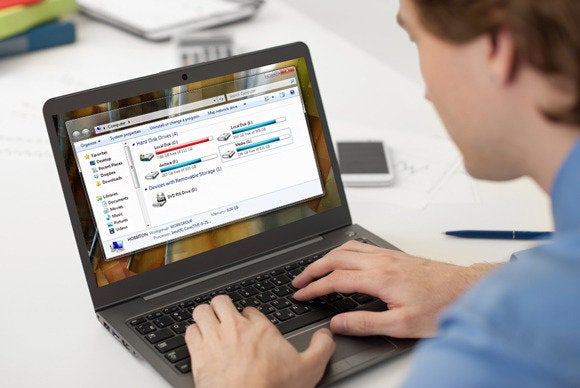
http://www.pcworld.com/article/2047667/how-to-solve-the-10-most-common-tech-support-problems-yourself.html
Nov 27, 2012
Here's all the crapware that comes with new Windows 8 PCs | ITworld
Great little fact that has always bugged me. One more reason to use a Mac.
Here's all the crapware that comes with new Windows 8 PCs | ITworld:
Here's all the crapware that comes with new Windows 8 PCs | ITworld:
Dec 20, 2011
Windows 2003 Server Domain Time
I have a system with a 5 minute time delay. It's domain joined but for unknown reasons it has a 5 minute delay. Now being an e-commerce system this is a bad deal. Credit Card companies don't like it when transactions are delayed by 5 minutes (can you say "man-in-the-middle"?).
Now I just need to figure out why it was off in the first place.
Here is the command to reset the time to the Doman time.
C:\Documents and Settings\wal>net time /?
The syntax of this command is:
NET TIME
[\\computername | /DOMAIN[:domainname] | /RTSDOMAIN[:domainname]] [/SET]
[\\computername] /QUERYSNTP
[\\computername] /SETSNTP[:ntp server list]
C:\Documents and Settings\wal>net time /domain:your.domain.com /set
Current time at \\server.your.domain.com is 12/20/2011 9:56 AM
The current local clock is 12/20/2011 9:51 AM
Do you want to set the local computer's time to match the
time at \\server.your.domain.com? (Y/N) [Y]: y
The command completed successfully.
C:\Documents and Settings\wal>
Dec 12, 2011
Verify Email with Telnet
Stolen from: http://www.webdigi.co.uk/
We have all been doing email address validation for a very long time to make sure that the email is correctly formatted. This is to avoid users entering wrongly formatted email address but still they can accidentally give us a wrong email address.
Example of a correctly formatted email address but still wrong:
mailbox.does.not.exist@reddit.com [VALID email format but it does not exist]
Above case specifically happens when you take important customer email on phone and you type in the wrong email. So is there a QUICK solution to really check the email without sending a test message to the user? Yes.
The solution
A quick & simple check below can be implemented in most programming language including PHP, Python etc. It relies on using the same SMTP which is used to send emails.
To check if user entered email mailbox.does.not.exist@reddit.com really exists go through the following in command prompt.
First - Find mail exchanger of reddit.com
COMMAND:
nslookup – q=mx reddit.com
RESPONSE:
reddit.com MX preference = 10, mail exchanger = mail.reddit.com
mail.reddit.com internet address = 208.96.53.70
Second - Connect to mail server mail.reddit.com
COMMAND:
telnet mail.reddit.com 25
RESPONSE:
220 mail.reddit.com ESMTP Postfix NO UCE NO UEMA C=US L=CA Unsolicated electronic mail advertisements strictly prohibited, subject to fine under CA law CBPC 17538.45. This electronic mail service provider’s equipment is located in the State of California. See http://www.reddit.com/static/inbound-email-policy.html for more information.
COMMAND:
helo hi
RESPONSE:
250 mail.reddit.com
COMMAND:
mail from: <youremail@gmail.com>
RESPONSE:
250 2.1.0 Ok
COMMAND:
rcpt to: <mailbox.does.not.exist@reddit.com>
RESPONSE:
550 5.1.1 <mailbox.does.not.exist@reddit.com>: Recipient address rejected: User unknown in local recipient table
COMMAND:
quit
RESPONSE:
221 2.0.0 Bye
NOTES:
1) the 550 response indicates that the email address is not valid and you have caught a valid but wrong email address. This code can be on the server and called on AJAX when user tabs out of the email field. The entire check will take less than 2 seconds to run and you can make sure that the email is correct.
2) If email was present the server will respond with a 250 instead of 550
3) There are certain servers with a CATCH ALL email and this means all email address are accepted as valid on their servers (RARE but some servers do have this setting).
4) Please do not use this method to continuously to check for availability of gmail / yahoo / msn accounts etc as this may cause your IP to be added to a blacklist.
5) This is to supplement the standard email address javascript validation.
Jan 6, 2011
Useful Splunk Queries
So we finally have a working reliable installation of Splunk on site and I am starting to build some useful queries. There is so much information available it's almost too hard to make a reliable query that returns the information you need (without false positives).
sourcetype="WinEventLog:Security" User Name: "CategoryString=Logon/Logoff" User_Name="administrator" | chart count(eval(Type="Failure Audit")) as "Login Failures" by src_ip
This will give you a nice chart showing a count of Administrator logon failures by source IP.
If you find yourself getting data that you aren't sure is real or should be ignored, I find the best way to be sure is to verify with a known failure or reproduction of the issue to be tracked. In this case, I simply attempted to log in with a bad password and my attempt showed up after a refresh.
sourcetype="WinEventLog:Security" User Name: "CategoryString=Logon/Logoff" User_Name="administrator" | chart count(eval(Type="Failure Audit")) as "Login Failures" by src_ip
This will give you a nice chart showing a count of Administrator logon failures by source IP.
If you find yourself getting data that you aren't sure is real or should be ignored, I find the best way to be sure is to verify with a known failure or reproduction of the issue to be tracked. In this case, I simply attempted to log in with a bad password and my attempt showed up after a refresh.
Dec 27, 2010
Sysadmin Tools
50 UNIX / Linux Sysadmin Tutorials: "Merry Christmas and Happy Holidays to all TGS Readers. To wrap this year, I’ve collected 50 UNIX / Linux sysadmin related tutorials that we’ve posted so far. This is lot of reading. Bookmark this article for your future reference and read it whenever you get free time. Disk to disk backup using dd command: dd [...]
Read More: 50 UNIX / Linux Sysadmin Tutorials
Copyright © The Geek Stuff. All Rights Reserved. Support us when you shop at amazon. Thank You!
Get your copy of Vim 101 Hacks eBook.
Linux 101 Hacks eBook Password: linux-is-wonderful
Read More: 50 UNIX / Linux Sysadmin Tutorials
Copyright © The Geek Stuff. All Rights Reserved. Support us when you shop at amazon. Thank You!
Get your copy of Vim 101 Hacks eBook.
Linux 101 Hacks eBook Password: linux-is-wonderful
Nov 8, 2010
Sophos offers Free Anti-Virus Home Edition for Mac
Sophos offers Free Anti-Virus Home Edition for Mac: "World's first free business-strength security solution for Macs."
Nov 3, 2010
WiFi Channel Problems
Recently I have been struggling with my home wifi network, at least with my laptop. It seemed that every other machine in the house didn't have a problem. However, my laptop would perform erratic, at best. It would chug along then all network activity would freeze. I few minutes later it would start to flow again. I tried everything (or so I thought). I eventually ran a network cable down the stairs and into the office and wired my laptop. It solved the problem so I was sure it was wifi related. A friend of mine suggested using a spectrum analyzer to find what was the best channel to use. I was skeptical at first until I realized what all used wifi frequencies (cordless phones). Sure enough, when I changed to channel 12, I couldn't see anything at all. Then I tried channel 1 and all was right with the world.
Just to satisfy my curiosity, I searched out a wifi channel analyzer to test the channels and find the best available. There are a number of freeware choices out there for Mac and PC. When the report came in I was not too shocked to see that the channel I was using had the most interference. Channel 1 was pretty clear but channel 3 was clean. I quickly changed my WAP to use channel 3 and my problems are solved.
Just to satisfy my curiosity, I searched out a wifi channel analyzer to test the channels and find the best available. There are a number of freeware choices out there for Mac and PC. When the report came in I was not too shocked to see that the channel I was using had the most interference. Channel 1 was pretty clear but channel 3 was clean. I quickly changed my WAP to use channel 3 and my problems are solved.
Oct 27, 2010
Custom Sound Set for Mac Outlook 2011
I managed to create a custom sound set for Outlook 2011 by dragging the custom sound set from my Entourage Sound Sets folder to the Outlook Sound Sets folder in my Microsoft User Data folder.
I'll update this with more precise directions later.
*** Updated ***
Make a custom folder under:
User/Documents/Microsoft User Data/Outlook Sound Sets/
Something like "Custom.eragesoundset"
Put your wav files in there and refer to them in a soundset.plist file in the same folder. That file should look like this...
soundset.plist
I'll update this with more precise directions later.
*** Updated ***
Make a custom folder under:
User/Documents/Microsoft User Data/Outlook Sound Sets/
Something like "Custom.eragesoundset"
Put your wav files in there and refer to them in a soundset.plist file in the same folder. That file should look like this...
soundset.plist
Oct 12, 2010
Host File Kung Fu
MVPS Custom Host File Instructions
I've been using a custom host file on my workstation for quite a while now. It works really well in blocking all sorts of undesired activity. Of course I only have 3 lines to block specific advertising sites but the potential is endless. Such a small change to my local configuration makes such a huge difference in all aspects of online activity.
If you are familiar with the NoScript or AdBlock plugins for Firefox then you are familiar with the concept of blocking certain domains, URLs or DNS names. Your host file is just an extension of how this works. Only instead of doing it at the application level, it does it at the operating system level.
Any time your machine tries to access a resource on the network, it has to translate that network address from a name to a number. If that process doesn't work (or is told to look in the wrong place) the resource isn't found. If that process is a looking for an advertisement or a nasty script, then that resource fails to load. When that resource fails to load it frees up resources on your machine to load more important stuff, like that article on how to winterize your lawn. Your host file just tells your machine to look in the wrong places for specific resources since any resource at this specific location is known to be undesired.
I use Open DNS at home to block a lot of these sites but this doesn't help when you leave the safety and comfort of your home network.
There are multiple sites out there that help with custom host files but MVPS is one of the best. Please take a look and see what they have to offer.
I've been using a custom host file on my workstation for quite a while now. It works really well in blocking all sorts of undesired activity. Of course I only have 3 lines to block specific advertising sites but the potential is endless. Such a small change to my local configuration makes such a huge difference in all aspects of online activity.
If you are familiar with the NoScript or AdBlock plugins for Firefox then you are familiar with the concept of blocking certain domains, URLs or DNS names. Your host file is just an extension of how this works. Only instead of doing it at the application level, it does it at the operating system level.
Any time your machine tries to access a resource on the network, it has to translate that network address from a name to a number. If that process doesn't work (or is told to look in the wrong place) the resource isn't found. If that process is a looking for an advertisement or a nasty script, then that resource fails to load. When that resource fails to load it frees up resources on your machine to load more important stuff, like that article on how to winterize your lawn. Your host file just tells your machine to look in the wrong places for specific resources since any resource at this specific location is known to be undesired.
I use Open DNS at home to block a lot of these sites but this doesn't help when you leave the safety and comfort of your home network.
There are multiple sites out there that help with custom host files but MVPS is one of the best. Please take a look and see what they have to offer.
Sep 12, 2010
Google Family Safety Center
Announcing our new Family Safety Center: "posted by Kate Hammond, Marketing Manager
Helping your children use the Internet safely is similar to teaching them to navigate the offline world. There are parts of the real world that you wouldn’t let your children explore unsupervised—and that goes for the online world as well. But while most of us remember being taught to cross the road and not talk to strangers, we probably weren’t taught how much personal information we should share online or how to handle cyberbullies.
Therefore, it’s no surprise when parents and teachers tell us they want to learn more about how to help their kids use the Internet safely and responsibly.
Today, we’re launching our new Family Safety Center; a one-stop shop about staying safe online. We’ve included advice from leading child safety organizations around the world, tips and ideas from parents here at Google, as well as information on how to use the safety tools and controls built into Google products.
For day-to-day practical tips we asked some of our parents at Google to share their own ideas. Tactics they use range from limiting screen time and preventing computers in kids’ bedrooms to ad hoc checks on their browser history and social networking profiles. Everyone has different ideas and there’s no right or wrong answer, but hopefully some of these will resonate and inspire you. See more videos and let us know your own thoughts on our YouTube channel.
To answer some of the toughest questions most important to parents, such as accessing inappropriate content and meeting strangers online, we went straight to the people that know best; the organizations that advocate and promote child safety and digital literacy. Organizations that we’ve partnered with around the world include the U.S. Federal Trade Commission’s OnGuard Online initiative, the Canadian Centre for Child Protection, the Australian Communications and Media Authority, U.K.’s ChildNet, and New Zealand’s NetSafe.
The new Safety Center also provides information on the safety tools built into Google products. SafeSearch and YouTube Safety Mode can help you control what content your children stumble across. Sharing controls in YouTube, Picasa, Blogger and others ensure your videos, photos and blogs are shared only with the right people. And in response to popular requests, we’ve added a section on managing geolocation features on mobiles.
With kids growing up in an age where digital know-how is essential, it’s increasingly important to ensure that they’re developing healthy, safe and responsible online habits. And we’re thinking every day about how we can help parents and teachers to do just that.
Helping your children use the Internet safely is similar to teaching them to navigate the offline world. There are parts of the real world that you wouldn’t let your children explore unsupervised—and that goes for the online world as well. But while most of us remember being taught to cross the road and not talk to strangers, we probably weren’t taught how much personal information we should share online or how to handle cyberbullies.
Therefore, it’s no surprise when parents and teachers tell us they want to learn more about how to help their kids use the Internet safely and responsibly.
Today, we’re launching our new Family Safety Center; a one-stop shop about staying safe online. We’ve included advice from leading child safety organizations around the world, tips and ideas from parents here at Google, as well as information on how to use the safety tools and controls built into Google products.
For day-to-day practical tips we asked some of our parents at Google to share their own ideas. Tactics they use range from limiting screen time and preventing computers in kids’ bedrooms to ad hoc checks on their browser history and social networking profiles. Everyone has different ideas and there’s no right or wrong answer, but hopefully some of these will resonate and inspire you. See more videos and let us know your own thoughts on our YouTube channel.
To answer some of the toughest questions most important to parents, such as accessing inappropriate content and meeting strangers online, we went straight to the people that know best; the organizations that advocate and promote child safety and digital literacy. Organizations that we’ve partnered with around the world include the U.S. Federal Trade Commission’s OnGuard Online initiative, the Canadian Centre for Child Protection, the Australian Communications and Media Authority, U.K.’s ChildNet, and New Zealand’s NetSafe.
The new Safety Center also provides information on the safety tools built into Google products. SafeSearch and YouTube Safety Mode can help you control what content your children stumble across. Sharing controls in YouTube, Picasa, Blogger and others ensure your videos, photos and blogs are shared only with the right people. And in response to popular requests, we’ve added a section on managing geolocation features on mobiles.
With kids growing up in an age where digital know-how is essential, it’s increasingly important to ensure that they’re developing healthy, safe and responsible online habits. And we’re thinking every day about how we can help parents and teachers to do just that.
May 31, 2010
Home Computing Necessities
I have updated the Home Computing box on the right. It now contains links to suggested software for any home.
Firefox: For the safest browsing around. Make sure to set your history to clear on exit. See below for suggested addons.
Adblock Plus: The Web has never looked better (and safer).
Noscript: I am always stunned at the number of sites wanting to run a script on my machine. You will be too.
OpenDNS: If you have kids on the web, this is a great resource for protecting them from errant clicks. And saving you from hours of re-installing software.
The rest of the links are great resources for Home Computing. Feel free to write if you have any questions or suggestions.
Firefox: For the safest browsing around. Make sure to set your history to clear on exit. See below for suggested addons.
Adblock Plus: The Web has never looked better (and safer).
Noscript: I am always stunned at the number of sites wanting to run a script on my machine. You will be too.
OpenDNS: If you have kids on the web, this is a great resource for protecting them from errant clicks. And saving you from hours of re-installing software.
The rest of the links are great resources for Home Computing. Feel free to write if you have any questions or suggestions.
Sep 9, 2009
Basic Raid Level Information
I found this information helpful so, as usual, I copied it somewhere I can find it quickly. There is always the Wikipedia RAID page as well.
In the IT world, hardware failure is not about if it will happen, but when it will happen. If you run a server that has any sort of important data on it, protection of that data is very important. Many people chose to implement a redundant RAID (redundant array of independent disks) array to help deal with the risk of having a hardware failure. There are several types of RAID that are appropriate for servers, and there are several ways they can be effectively implemented.
IBM patented the idea of RAID in 1978. It was not until 1988 that the RAID levels that we have come to know were defined. This development was done at University of California in Berkeley. Now days RAID is used in many servers throughout the world and even in desktop machines.
RAID 1
The use of a mirroring RAID array, or RAID 1 is useful in server situations. It creates an exact copy of the original drive. If either of the drives fail, the system can continue operations without any downtime. Then the new hard drive can be put into the system and it can rebuild the array.
This system is considered a little less desirable than a RAID 5 setup for most situations of day-to-day operation. However, it has several applications where the use of RAID 1 can be beneficial. One advantage is that it has a faster seek time than RAID 5, which makes it beneficial for data that, will not be written to often. The main advantage is that some 1U servers do not have room for a 3 drive array, so implementing RAID 1 is often considered better for reliability than no RAID at all. However, the most useful way that I have seen RAID 1 used in the real world is as backups. With a hot-swappable setup, the mirror disk can be removed and kept as backup much the same way as a tape backup can be stored. This proves to be very useful for mission critical systems since it allows for a system to be brought back online after a data failure, or the system to be brought up on separate hardware after a catastrophic hardware failure.
RAID 5
Probably the most common disk array used in enterprise computing is a RAID 5 array. This is because it maximizes disk usage, reliability, and speed of access. To get an idea of how it works, there are usually 3 drives in an array that each have their data divided between two other drives.
On mission critical servers, RAID 5 is often used with a cache that has an attached battery backup. This ensures that in a power failure, no transactions are lost from the server. Often times database servers with high amounts of transactions will have a battery unit since the RAID card would cache transactions before waiting, a power failure could result in an inconsistent database or critical data loss.
RAID 10
This type of RAID array requires 4 or more drives. At the top level is a RAID 0 array which combines lower level RAID 1 arrays. This type of RAID array has a benefit over RAID 5 in that it has faster write times. This often makes it a little bit better of a choice than RAID 5 for database servers.
Space Calculations
To calculate RAID 1 you simply divide the total drive space by 2. For RAID 5 you multiply the total space of the drives by the number of drives over 1 to get total usable space. Then for RAID 10 you add up each RAID 1 array.
RAID1
2 80 GB Drives
80/2=80
RAID5
3 80 GB Drives
240*(2/3)=160
5 80 GB Drives
400*(4/5)=320
RAID10
4 80GB Drives
2 RAID 1 Arrays = 160GB usable
Hardware RAID
The use of hardware RAID arrays no longer makes as much sense as it once did. There are still reasons to use a hardware RAID over a software RAID. The first reason to use hardware RAID is that it usually has a cache, which speeds up the operation of the array dramatically. The second advantage is that it will not cut into system resources as much as software RAID. The biggest advantage is in the possibility of having a battery backed up cache. This will help prevent corruption from an unexpected power issue or a system crash.
Software RAID
Although historically all RAID arrays were completely hardware based, there is a growing popularity of software RAID. One of the reasons for this is that CPU speeds are now fast enough that the processing time involved managing the RAID array is really minimal compared to the overall processor.
One of the major advantages of software RAID is that it can be setup on commodity hardware so the physical disks can easily be moved to another server in the event of a hardware failure that does not involve the disks. The biggest disadvantage is that software raid has no cache so the limit to the speed data can flow from the Operating System is the limit of the drives.
Notifications
Lets assume you have a working RAID setup now. Now if a drive fails the system continues like nothing ever happened. The problem is, without notification of a drive failure, there is no reason to have raid. So make sure you setup a system to notify you whenever a drive fails. It may notify you by email, page you, or on some control panel. The important thing is that you know before two drives fail and render the array useless.
Conclusion
Hopefully you will be able to make some important purchasing decisions for you next server after reading this article. There are a lot of things to consider when planning data availability so make sure you spend enough time to get everything right. Remember that no single RAID setup is best for all applications.
by Tyler Weaver
In the IT world, hardware failure is not about if it will happen, but when it will happen. If you run a server that has any sort of important data on it, protection of that data is very important. Many people chose to implement a redundant RAID (redundant array of independent disks) array to help deal with the risk of having a hardware failure. There are several types of RAID that are appropriate for servers, and there are several ways they can be effectively implemented.
IBM patented the idea of RAID in 1978. It was not until 1988 that the RAID levels that we have come to know were defined. This development was done at University of California in Berkeley. Now days RAID is used in many servers throughout the world and even in desktop machines.
RAID 1
The use of a mirroring RAID array, or RAID 1 is useful in server situations. It creates an exact copy of the original drive. If either of the drives fail, the system can continue operations without any downtime. Then the new hard drive can be put into the system and it can rebuild the array.
This system is considered a little less desirable than a RAID 5 setup for most situations of day-to-day operation. However, it has several applications where the use of RAID 1 can be beneficial. One advantage is that it has a faster seek time than RAID 5, which makes it beneficial for data that, will not be written to often. The main advantage is that some 1U servers do not have room for a 3 drive array, so implementing RAID 1 is often considered better for reliability than no RAID at all. However, the most useful way that I have seen RAID 1 used in the real world is as backups. With a hot-swappable setup, the mirror disk can be removed and kept as backup much the same way as a tape backup can be stored. This proves to be very useful for mission critical systems since it allows for a system to be brought back online after a data failure, or the system to be brought up on separate hardware after a catastrophic hardware failure.
RAID 5
Probably the most common disk array used in enterprise computing is a RAID 5 array. This is because it maximizes disk usage, reliability, and speed of access. To get an idea of how it works, there are usually 3 drives in an array that each have their data divided between two other drives.
On mission critical servers, RAID 5 is often used with a cache that has an attached battery backup. This ensures that in a power failure, no transactions are lost from the server. Often times database servers with high amounts of transactions will have a battery unit since the RAID card would cache transactions before waiting, a power failure could result in an inconsistent database or critical data loss.
RAID 10
This type of RAID array requires 4 or more drives. At the top level is a RAID 0 array which combines lower level RAID 1 arrays. This type of RAID array has a benefit over RAID 5 in that it has faster write times. This often makes it a little bit better of a choice than RAID 5 for database servers.
Space Calculations
To calculate RAID 1 you simply divide the total drive space by 2. For RAID 5 you multiply the total space of the drives by the number of drives over 1 to get total usable space. Then for RAID 10 you add up each RAID 1 array.
RAID1
2 80 GB Drives
80/2=80
RAID5
3 80 GB Drives
240*(2/3)=160
5 80 GB Drives
400*(4/5)=320
RAID10
4 80GB Drives
2 RAID 1 Arrays = 160GB usable
Hardware RAID
The use of hardware RAID arrays no longer makes as much sense as it once did. There are still reasons to use a hardware RAID over a software RAID. The first reason to use hardware RAID is that it usually has a cache, which speeds up the operation of the array dramatically. The second advantage is that it will not cut into system resources as much as software RAID. The biggest advantage is in the possibility of having a battery backed up cache. This will help prevent corruption from an unexpected power issue or a system crash.
Software RAID
Although historically all RAID arrays were completely hardware based, there is a growing popularity of software RAID. One of the reasons for this is that CPU speeds are now fast enough that the processing time involved managing the RAID array is really minimal compared to the overall processor.
One of the major advantages of software RAID is that it can be setup on commodity hardware so the physical disks can easily be moved to another server in the event of a hardware failure that does not involve the disks. The biggest disadvantage is that software raid has no cache so the limit to the speed data can flow from the Operating System is the limit of the drives.
Notifications
Lets assume you have a working RAID setup now. Now if a drive fails the system continues like nothing ever happened. The problem is, without notification of a drive failure, there is no reason to have raid. So make sure you setup a system to notify you whenever a drive fails. It may notify you by email, page you, or on some control panel. The important thing is that you know before two drives fail and render the array useless.
Conclusion
Hopefully you will be able to make some important purchasing decisions for you next server after reading this article. There are a lot of things to consider when planning data availability so make sure you spend enough time to get everything right. Remember that no single RAID setup is best for all applications.
by Tyler Weaver
Aug 24, 2009
Tech Support Cheat Sheet
I think the big problem is the box about "Google". Most people are so intimidated by "Googling something" that they refuse and would rather have their hand held. The rest have no idea how to read the results of a Google search. Let's face it, there is an art to "Googling" something and the even more difficult part of reading the results.
Tech Support Cheat Sheet

Tech Support Cheat Sheet

May 28, 2009
Helpdesk Software Directory
Here is a link to the Helpdesk Software Section on Open Directory.
I recently found the link from the Wikipedia Helpdesk page.
I recently found the link from the Wikipedia Helpdesk page.
Aug 9, 2008
Zendesk Helpdesk Software
I noticed a Google ad for Zendesk the other day so I thought I should add them to my list of links on the sidebar. I have no experience with the software but the page is nice and who would like something with "zen" in the title?
Jul 30, 2008
Open Source Monitoring Tool
GroundWork Monitor is a nice looking open source monitoring application. I'll add it to the link list on the right.
I'll update here after I have more information on the application. A friend of mine is configuring it now. On the surface it looks similar to Nagios.

I'll update here after I have more information on the application. A friend of mine is configuring it now. On the surface it looks similar to Nagios.

Jul 28, 2008
Howto Update the SPSS 16 License Server IP Address
I had to update the IP address of the SPSS 16 license manager on a number of prototype machines today and I couldn't track it down in the SPSS directory. I had to turn to Google who tracked it down on an SPSS site for me.
Check the appropriate spssprod.inf file. This file is located in the product installation directory on the desktop computer. Open spssprod.inf and make sure DAEMONHOST is set to the correct name or IP address of the computer on which the license manager is running. If you are using redundant servers, this should be blank.Much easier than putting site license files on each machine. I should have done this years ago.
Subscribe to:
Posts (Atom)